The export wizard is not the export
Most platforms offer a self-service export that returns what the vendor thinks you need: active users, current courses, recent completions. Archived courses, inactive learners, superseded course versions, assessment attempts and attachments are often absent. Teams migrate from the wizard output and only discover the gaps when a former employee's certificate cannot be found.
Request a complete export in writing, list the record classes you expect, and compare counts. Where the vendor cannot supply something, document it now rather than discover it later.
Version matters more than anyone expects
A completion recorded against "Data Protection Essentials" means little without knowing which version the learner took. Regulators and auditors ask for the version in force at the time. Migrations that map all completions to the current version silently destroy this.
Identity is the hardest part
The new platform creates accounts from HR data. The old platform had usernames, some of them for people who left years ago. Without a deliberate reconciliation step, the same person is either duplicated or their history is orphaned. Plan matching rules, keep a match log and preserve the map between old and new identifiers.
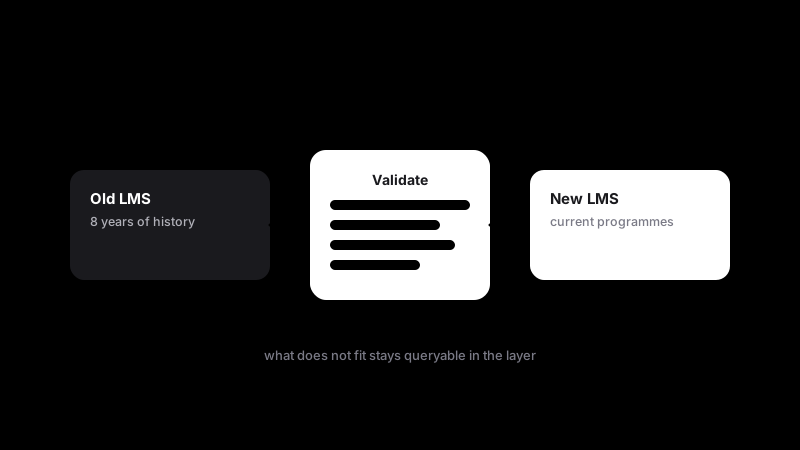
Validate before cut-over, not after
Once the old platform is switched off, there is nothing to compare against. Validation, meaning record counts per class, sample checks and edge cases, must happen while both systems are live. Sign off each record class explicitly.
Not everything should move
The new platform is designed for current learning, not decade-old history. Forcing everything in makes the new system slow and cluttered. Move what the platform needs to operate; preserve the rest in a governed, queryable layer where it remains available for audits without burdening the LMS.
Downstream systems break quietly
HRIS feeds, BI dashboards and compliance tools all consume learning data. A migration that changes identifiers or field meanings breaks these integrations, often without an error. Inventory every consumer before cut-over.
The migration is a data project
The successful migrations treat platform rollout and data movement as separate workstreams with separate owners. The platform team configures the new LMS. The data team extracts, maps, validates and preserves. LearningUnify's migration service is built around exactly this separation.
More from the blog
Institutional memory should not depend on a vendor contract
Organizations remember through their records. When learning records live only inside platforms that get replaced every few years, the organization forgets.
Learn more →Neutral by design: why we chose not to build an LMS
The easiest product to sell is another platform. We built a layer instead, and the reason is structural.
Learn more →xAPI, exports and APIs: why lineage matters more than the connection method
Teams argue about which integration method is best. The more important question is whether you can trace every number back to where it came from.
Learn more →Ready to see your learning data in one place?
Tell us which systems you run and we will show how the platform connects, normalizes and preserves their records.